Click the pulsing dot, use the Next button or your arrow keys, or swipe on a phone. Steps 1 to 5 are what a student sees. Steps 6 to 8 are the coordinator side.
-
 Student · Step 1 of 8
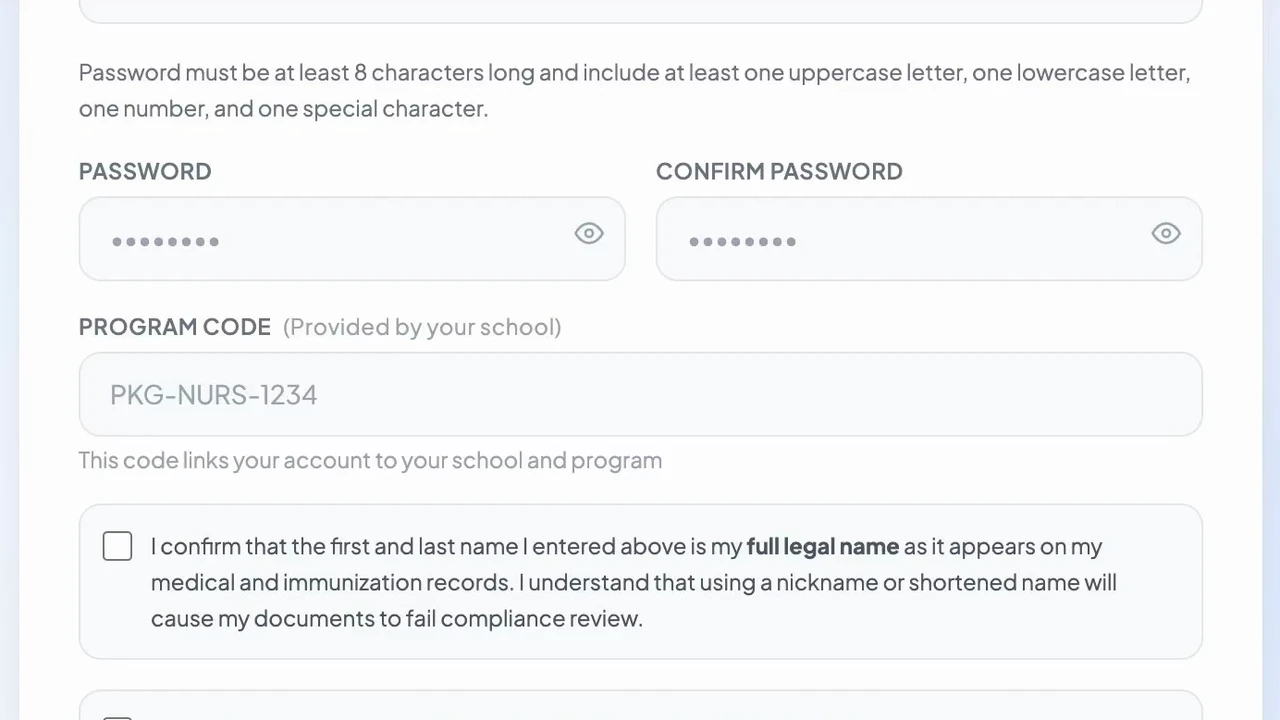
Register with your program code
Students sign up and enter the code their school gives them. The code links their account to their program.
-
 Student · Step 2 of 8
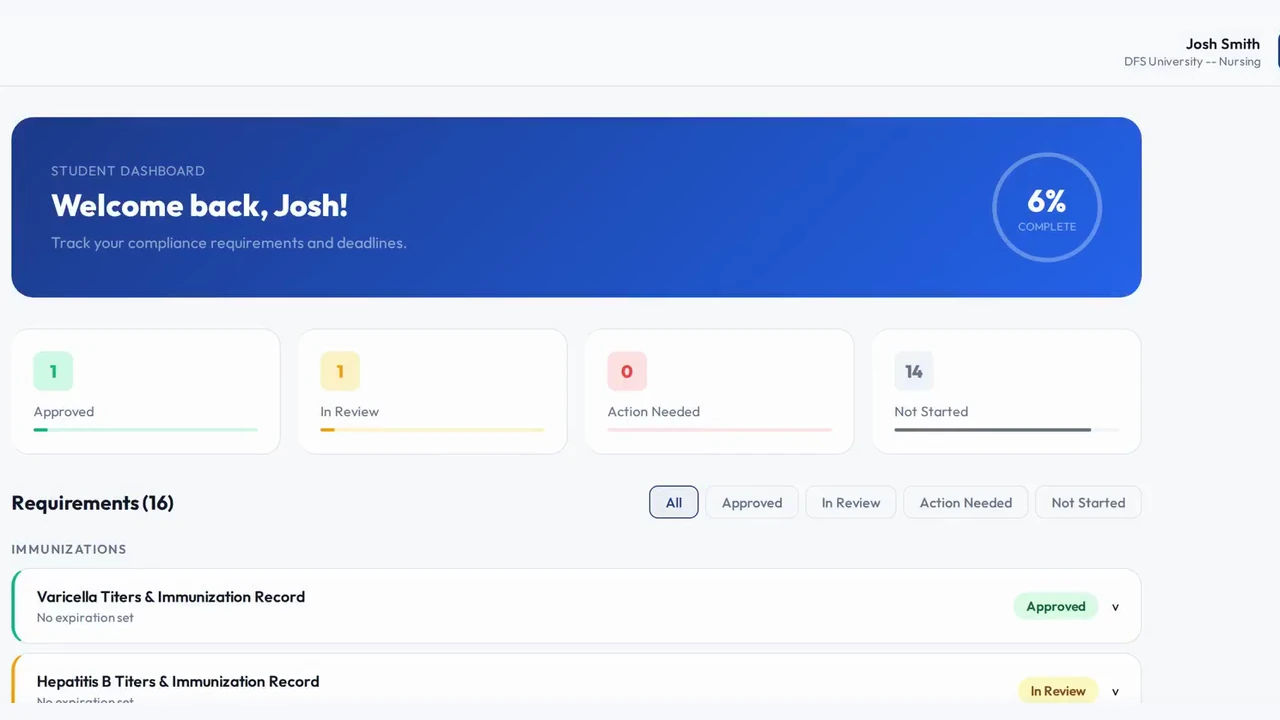
See your program's requirement list
The dashboard lists every requirement with its status: approved, in review, action needed or not started.
-
 Student · Step 3 of 8
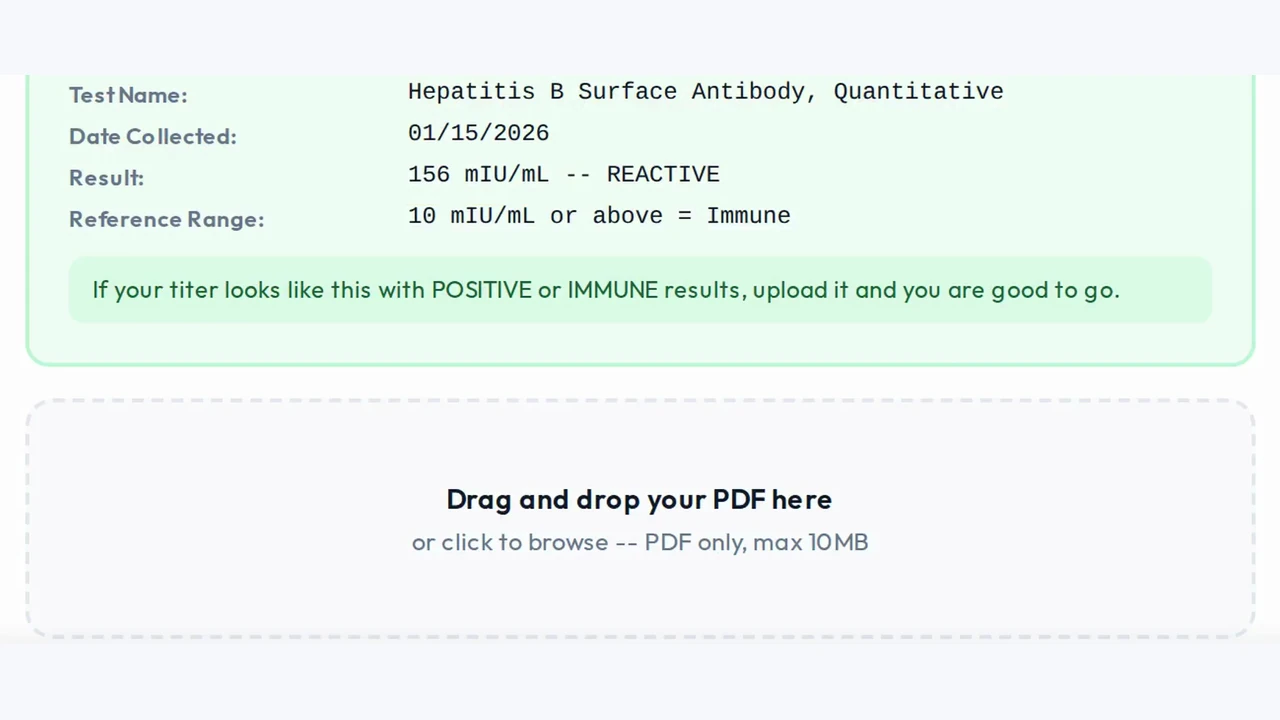
Upload documents right from a phone
Each requirement shows what is accepted, then the student uploads the file from a phone or computer.
-
 Student · Step 4 of 8
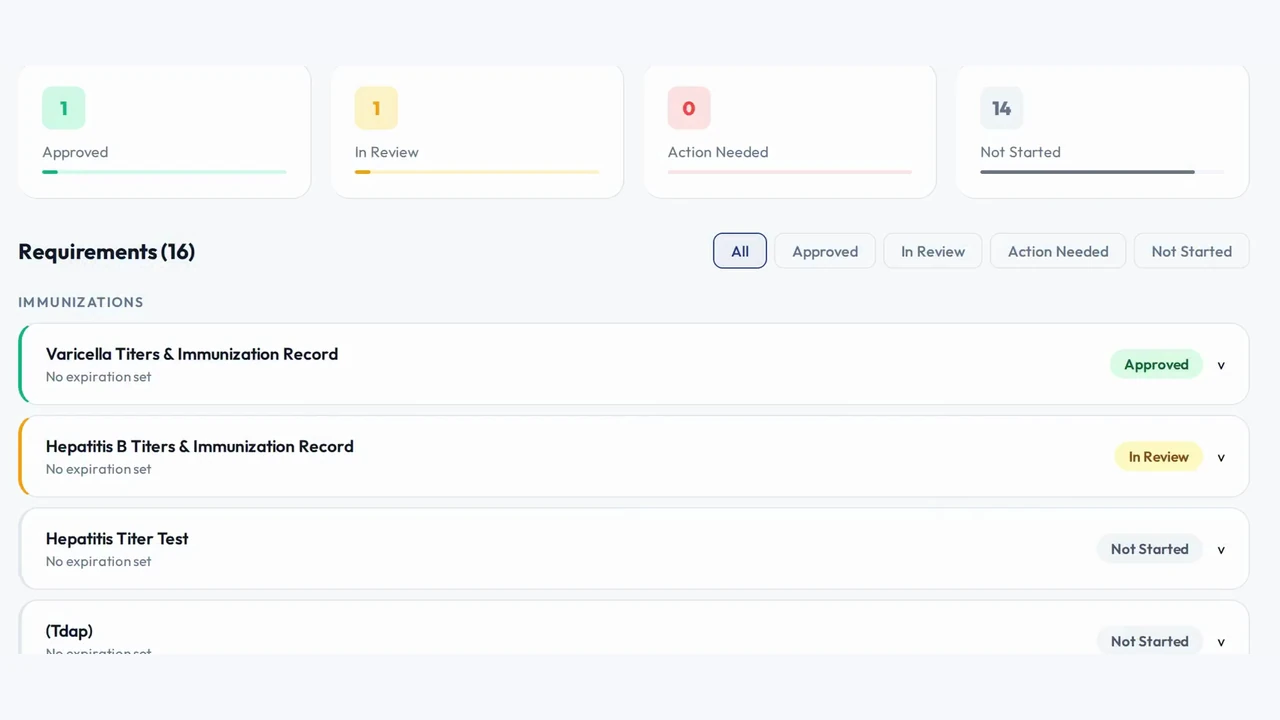
Every upload reviewed within 24 hours
Each document is approved or sent back with the reason, so students know exactly what to fix.
-
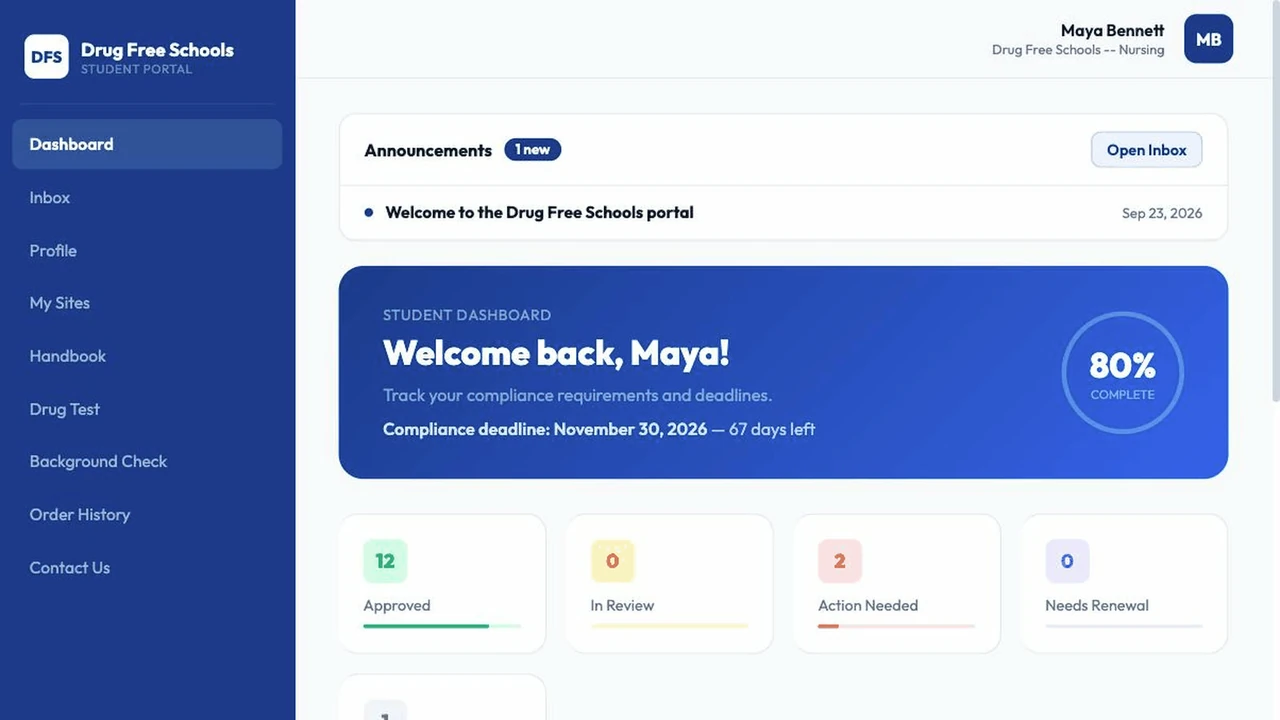 Student · Step 5 of 8
Reminders before anything expires
Students get email and text reminders 30, 14 and 7 days before a document expires.
-
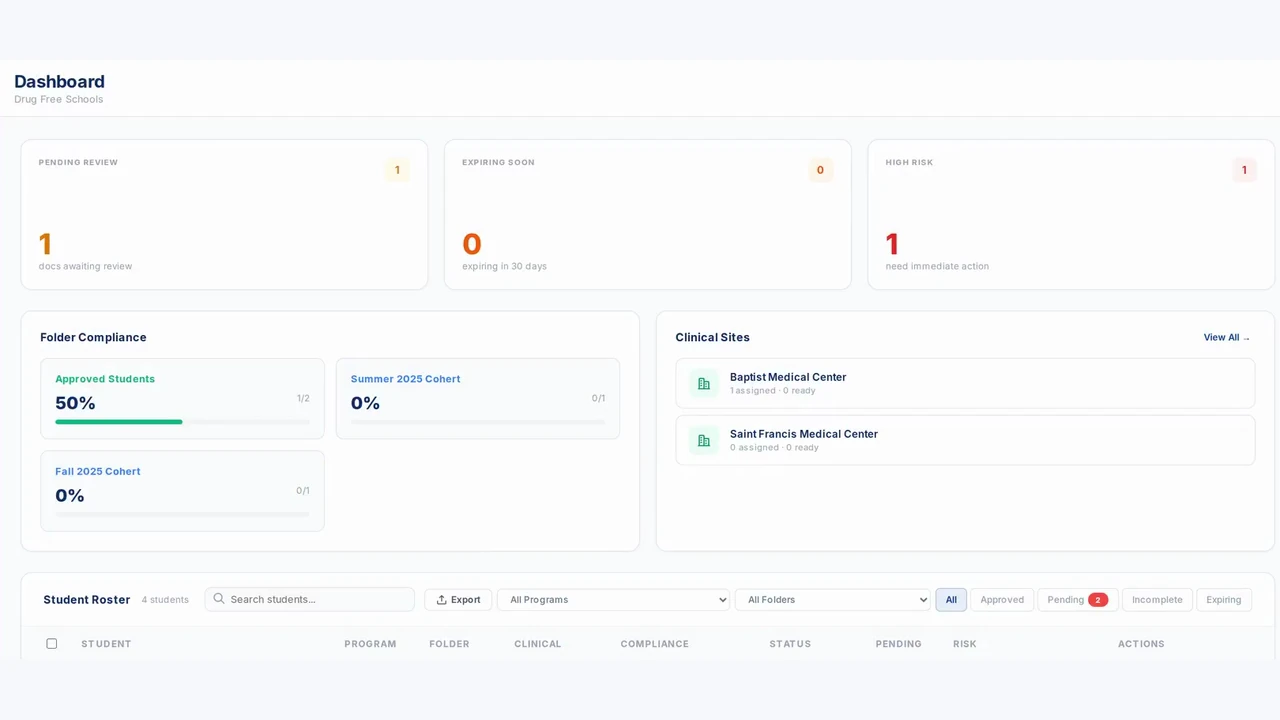 Coordinator · Step 6 of 8
See who is cleared or missing, by cohort
Coordinators see each cohort's approval rate and every student's status on one dashboard.
-
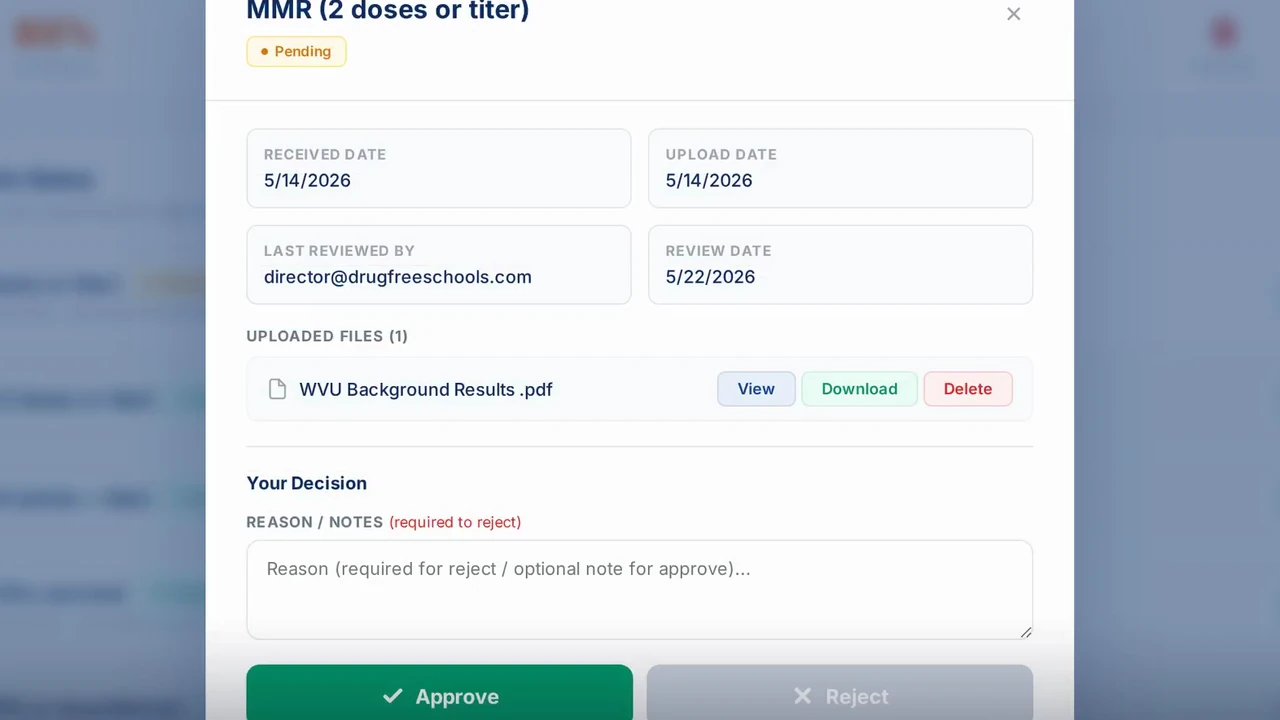 Coordinator · Step 7 of 8
Approve, reject or override any document
Coordinators can decide on any document themselves, and every decision is kept in an audit trail.
-
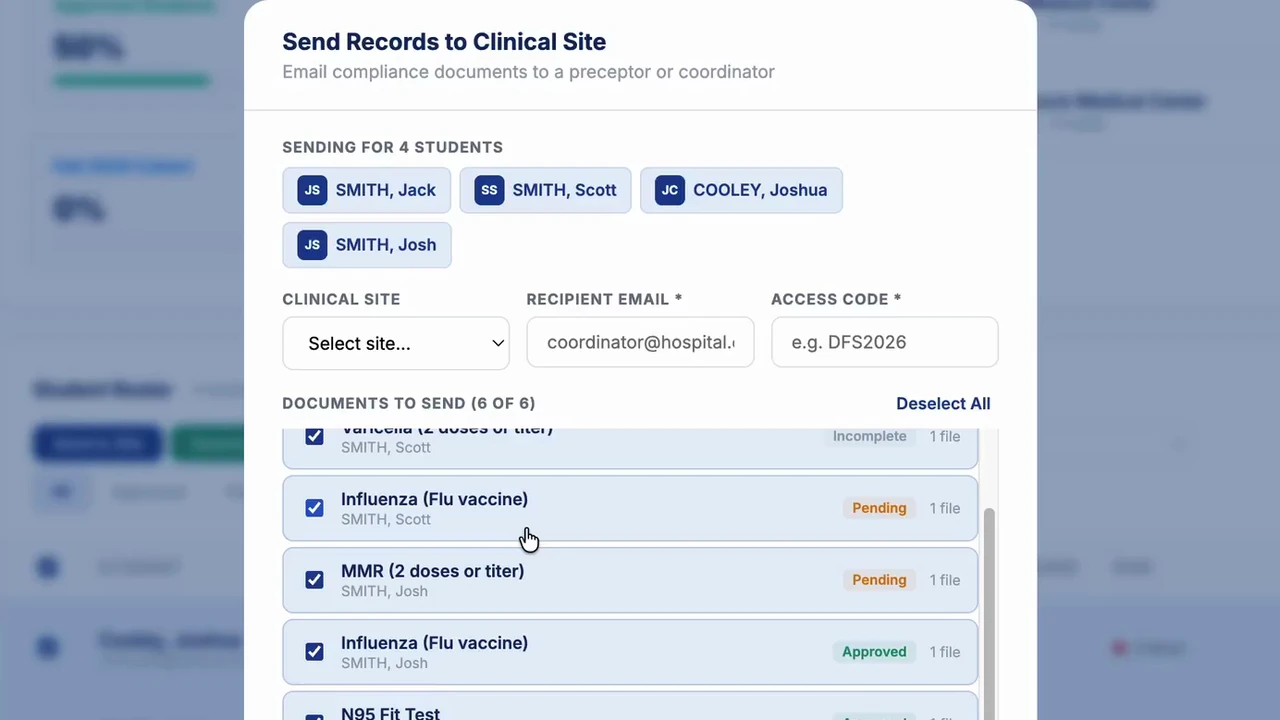 Coordinator · Step 8 of 8
Send records to a clinical site securely
Pick students and documents, enter the site's email and an access code, and the site gets a secure link.
-
That's the whole flow
$30 per student, one time. Faculty and administrator accounts are free.
Call or text (901) 517-7450
Send me my own demo portal
We’ll email you a login with your program’s requirements, usually within 5 minutes. No meeting needed.
Prefer to talk? Call or text Josh at (901) 517-7450.
What it costs
The portal is $30 per student, one time. Faculty and administrator accounts are free. See every price on the pricing page.
Prefer to watch?
The same screens are in the full videos: the student walkthrough and the director walkthrough.